
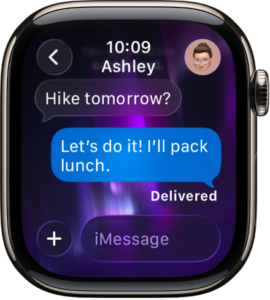
 This is a very common sync issue between the watch and iPhone, and we can work through it safely step by step.
Step 1: Check that iMessage is fully active on your iPhone
Your Apple Watch mirrors iMessage from your iPhone, so this must be correct first.
On your Apple iPhone, go to Settings > Messages
Make sure iMessage is switched On
Tap Send & Receive
Confirm your phone number is ticked, not just your email address
Tip: If your number says “Waiting for activation, iMessages will not reach the watch.
Step 2: Confirm notifications are allowed on the iPhone
If notifications are blocked on the iPhone, the watch will stay silent.
On the iPhone, go to Settings > Notifications > Messages
Make sure Allow Notifications is On
Turn Alerts on for Lock Screen, Notification Centre, and Banners
Ensure Show Previews is set to Always or When Unlocked
Step 3: Check Message mirroring on the Apple Watch
Your watch may have stopped mirroring without warning.
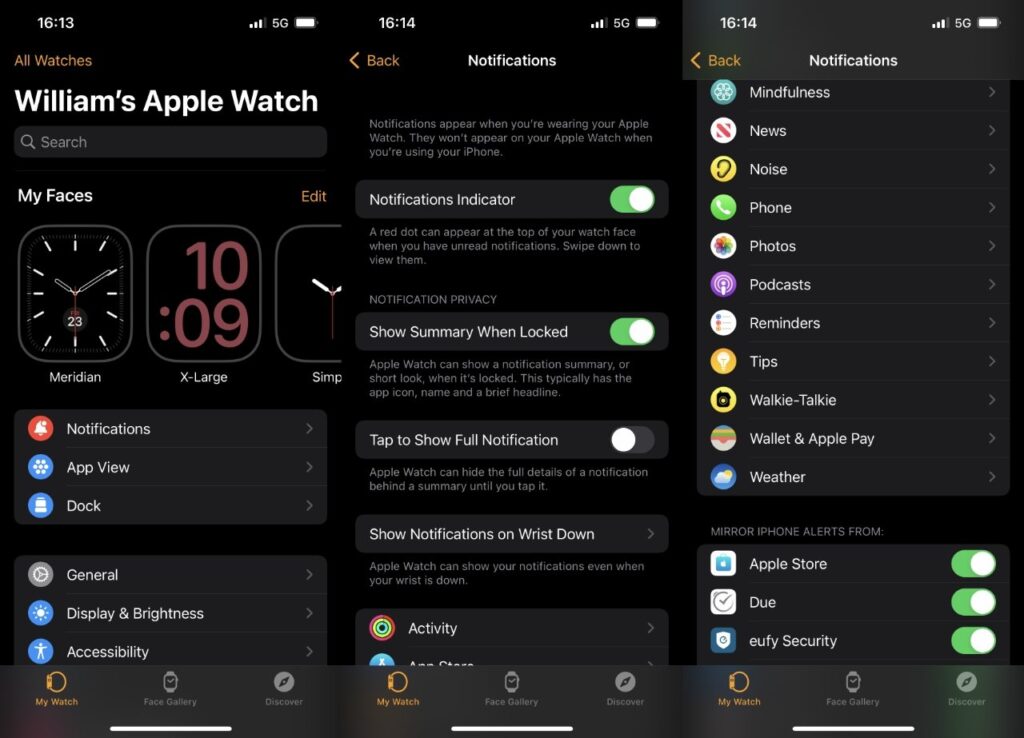
On the iPhone, open the Watch app
Tap Notifications > Messages
Select Mirror my iPhone
If “Custom” is selected, switch back to mirroring.
Step 4: Restart both devices (this is important)
A proper restart often re-establishes the connection.
Turn off the iPhone completely
Turn off the Apple Watch completely
Wait 60 seconds
Turn the iPhone on first
Once fully on, turn the Apple Watch on
Step 5: Check Focus / Do Not Disturb settings
Focus modes can silently block watch notifications.
On the iPhone, go to Settings > Focus
Check Do Not Disturb, Sleep, or any custom Focus
Make sure Messages are allowed, or temporarily turn Focus Off
Also swipe up on the Apple Watch and confirm Focus is not enabled there
Step 6: Sign out and back into iMessage (safe step)
This refreshes Apple’s messaging servers.
On the iPhone, go to Settings > Messages
Turn iMessage Off
Restart the iPhone
Turn iMessage back On
Re-check Send & Receive
Step 7: Check the Watch connection status
On the Apple Watch, swipe up
Make sure you see a green phone icon (connected to iPhone)
If you see a red phone or cloud icon, messages will not sync reliably
If this still doesn’t work
At this point, the issue is usually a corrupted watch sync profile rather than a setting you can see. The fix is:
Unpair and re-pair the Apple Watch (this does not delete health data if done correctly)