
Setting the Record Straight
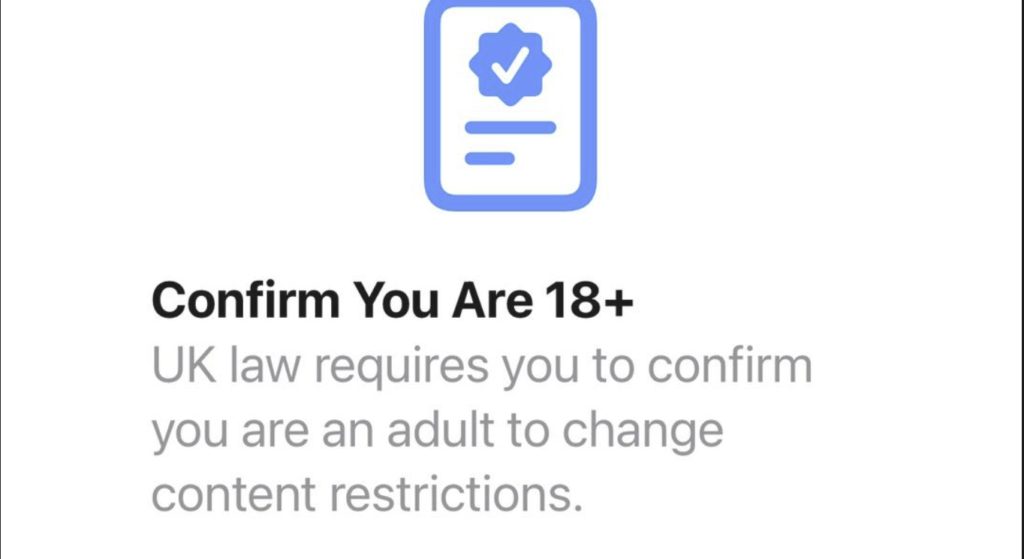
Since the initial update to even today, we’ve seen an unprecedented surge in posts about Apple’s age verification requirement. While we created this group to provide support and community, we’ve been forced to decline an increasing number of posts from members asking for solutions.
You are not alone in your frustration. But we need to explain why we made this difficult decision and what’s been happening behind the scenes.
Wave of False Information
When iOS 26.4 first rolled out in late March 2026, the mandatory age verification prompt caught millions of UK users completely off guard. Apple didn’t include clear warnings in the public release notes, leaving users confused and scrambling for answers. This confusion created the perfect breeding ground for false information.
We began seeing a flood of posts sharing:
“Quick fix” methods that didn’t work or made things worse.
Misunderstandings about acceptable documents especially around passports (which Apple initially said they didn’t accept before finally later changing their position in late April).
Claims that the verification could be permanently bypassed (it cannot).
False statements about the law including that the Online Safety Act does not require Apple to do this
Predators Exploiting Vulnerability
Most concerning of all has been the emergence of scams targeting vulnerable group members. Fraudsters quickly realised the age verification requirement was causing significant distress, and they moved in to exploit it.
Scammers set up fake support pages and sent phishing messages pretending to be from Apple, often claiming accounts had been compromised or verification had failed. These professionally designed emails and texts used urgent language to pressure users into clicking malicious links—handing over their Apple ID passwords and payment details in the process.
Some common scam tactics we’ve observed include:
“Verification fee” demands: Scammers contacting members directly, claiming they can bypass age verification for a small fee. These offers are always fraudulent. There is no third-party bypass.
PayPal Credit “workaround” claims: While there is a legitimate method using PayPal Credit that works for some users, scammers exploit this by asking for account access to “set it up for you”. Never share your login details.
Fake “Apple Support” phone numbers: Scammers create convincing Apple-style websites with support numbers that lead to fraudsters who will attempt to extract personal information.
Remote access scams: Fraudsters convinced vulnerable members to install remote desktop software, granting them full access to devices.
Real-world impact: One group member lost access to their Apple ID for over a week after falling for a phishing scam. Another had their credit card used for fraudulent purchases. Several vulnerable members were left feeling embarrassed and violated after being tricked.
Apple does not charge for age verification. Apple does not need remote access to your device to verify your age. If a message asks you to click a link, call a number, or share sensitive information—it is almost certainly a scam
The Dangerous “Workarounds” That Break the Rules
Then came the workarounds. Some well-meaning (and some not-so-well-meaning) people began sharing methods to bypass the age verification entirely.
These are a serious problem. Attempting to bypass Apple’s built-in security features means:
Violating Apple’s terms of service, which could lead to your Apple ID being permanently suspended.
Potentially breaching UK law, as deliberately circumventing age verification systems on a device used by or accessible to minors could have serious legal consequences under the Online Safety Act.
Exposing your device to security risks, as many so-called “bypass tools” are actually malware designed to steal your data.
We have seen posts promoting everything from VPN configurations to unauthorised software modifications. We cannot and will not approve these posts. Not only do they put the original poster at risk, but they also endanger every other member who might try them.
This group has grown to 8,000 members, and at our peak, we were receiving around 20 participant requests for support every single day. Each one requires our team to read, assess, and decide whether to approve, decline, or comment.
Between the legitimate support requests, the repeated misinformation, the scam attempts, and the dangerous workaround posts—our small moderation team was being overwhelmed.
We made the decision to:
Automatically decline all new posts asking for age verification help using Facebook’s Admin Assist tool.
Pin a comprehensive master guide containing verified, up-to-date information.
Direct all members to that single source of truth.
This isn’t about silencing anyone. It’s about protecting our community from harm while ensuring everyone can still get accurate help.
Understanding the Real Situation
Just so you have the full picture about why the verification is happening:
Apple is not legally required to do this under the Online Safety Act. The law primarily targets websites and online services featuring user-generated content, not device manufacturers. But Apple decided to implement age verification on devices voluntarily, making the UK one of the first countries in the world to implement these restrictions.
Ofcom, the UK’s communications regulator, has publicly praised Apple’s move as “a real win for children and families”. But privacy campaigners have slammed the update, with Big Brother Watch calling it “ransomware” and warning that “millions of Brits could end up owning a child’s device” unless they hand over sensitive personal data.
The reality is complicated.
But our role isn’t to debate the policy—it’s to help you navigate it safely and effectively.
Where to Get Help
We have created a comprehensive master guide that addresses:
Exactly which documents Apple accepts (and what they don’t accept).
Step-by-step troubleshooting for every verification scenario.
How to fix common problems like verification loops and scan failures.
What to do if you don’t have a credit card or accepted ID.
How Family Sharing and child accounts work under the new rules.
We understand your frustration. We know that having a post declined feels like being silenced, especially when you’re genuinely stuck and just want help.
But we hope you now understand why we had to make this change.
We’re not your enemy—we’re trying to protect you from the scammers, the misinformation, and the dangerous workarounds that could cost you far more than a declined Facebook post.
The master guide is ready. The answers are there. And we’re still here to help—just in a safer, more organised way.